商品簡介
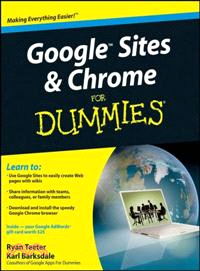
Curious about Google Sites and how team collaboration Web sites can help you share documents online from various locations? Curious about Google's new Chrome browser? Google Sites & Chrome For Dummies has what you want to know!
Today, Google is so much more than another word for “search.” Google Sites & Chrome For Dummies shows you how to create great collaborative Web sites with Google Sites and surf the Web with the super-fast Google Chrome browser. Find out how they work with other Google Apps, too. You'll learn to:
Take advantage of free hosting, free tools, and a simple, straightforward interface with Google Sites
Set up a Google account or Google Apps account
Create wiki sites that let coworkers collaborate on projects or keep family members up to date
Use Google gadgets to keep track of projects, manage calendars and documents, or display photos
Integrate documents, spreadsheets, presentations, and other Google Apps into your site
Work with Contact List, Google Talk, and Google Chat, and handle e-mail with Gmail
Download and install the speedy Google Chrome browser
Install browser plug-ins, enable offline access to Google Docs, and manage misbehaving tabs
You'll even find instructions and examples to help you plan sites for personal and business use, plus a sample college course site. With advice from Google Sites & Chrome For Dummies, you can make collaboration easy and have the high-speed Web at your fingertips.
作者簡介
Ryan Teeter was an external trainer for Google, where he developed a comprehensive training program for corporate customers and Google Apps users.
Karl Barksdale has written more than 50 business and technology books, and has consulted for both Microsoft and Google.
目次
Introduction.
Part I: Getting Started with Google Sites and Chrome.
Chapter 1: Befriending Google Sites.
Chapter 2: Getting to Know Chrome.
Chapter 3: Signing Up for Google Apps and Getting Your Team Online.
Chapter 4: Exploring Google Sites.
Part II: Constructing and Sharing Your Google Site.
Chapter 5: Mastering Page Layouts and Tools.
Chapter 6: Adding Gadgets.
Chapter 7: Customizing Your Site’s Look and Feel.
Chapter 8: Bringing Collaboration to a New Level.
Part III: Getting the Most Out of Chrome.
Chapter 9: Perfecting Chrome Browsing.
Chapter 10: Uncovering Chrome’s Advanced Features.
Part IV: Building Your Own Scheme.
Chapter 11: Proffering a Personal Scheme.
Chapter 12: Building a College Course Scheme.
Chapter 13: Building Business Schemes.
Part V: More Google Apps You Can’t Do Without.
Chapter 14: Using Google Docs and the Docs Home.
Chapter 15: Docs: Google’s Word-Processing App.
Chapter 16: Calculating with Google Spreadsheets.
Chapter 17: Creating Amazing Google Presentations.
Chapter 18: Using Google Calendar.
Chapter 19: Communicating with Gmail.
Chapter 20: Enhancing Communication with Google Contacts, Video Chat, and Talk.
Part VI: The Part of Tens.
Chapter 21: Ten More Ideas for Your Scheme.
Chapter 22: Ten More Google Apps for Your Team.
Index.