商品簡介
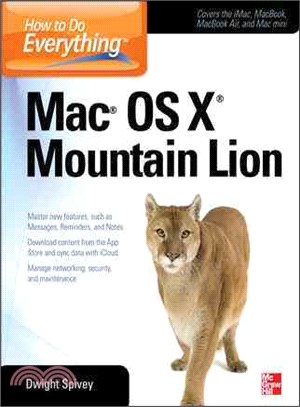
The new edition of this bestselling Mac guide covers the important features of Apple's new operating system upgrade--Mac OS X Mountain Lion. "How to Do Everything Mac OS X Mountain Lion" offers step-by-step coverage of the latest release of the Mac operating system. The book explains all the new iPad-inspired features, such as Messages, Reminders, Notification Center, Twitter, enhanced iCloud integration, and more. You'll learn to use Share Sheets, the Game Center, AirPlay Mirroring, Gatekeeper, and other capabilities. Get the most out of Mac OS X Mountain Lion with help from this hands-on guide! Includes detailed tutorials written by an expert who's on the Mac OSX Mountain Lion beta team Covers iLife, iWork, iPhoto, iTunes, iMove, QuickTime, and all the built-in applications and widgets Essential details on security, troubleshooting, and maintenance to help you keep your Mac running safely and smoothly Explains how to work with Windows on a Mac and in a mixed networking environment with PCs
作者簡介
Dwight Spivey is a Product Manager for Konica Minolta. He handles the company's Mac maintenance and troubleshooting, is a member of Apple’s Developer Program, and stays up-to-date on all Mac technical issues. Dwight teaches classes on Mac usage and writes training materials and documentation for the company regarding installation, use, and troubleshooting for the Mac, Linux, and Windows environments. This is his eleventh book.
目次
Introduction
I: Get Started with Your Mac
1. Welcome to the World of Mac!
2. Getting to Know Your Mac
3. Cruisin': Navigating the Mac
4. Stylin' and Profilin'! Customizing Your Mac
5. Getting Started on the Internet
II: Making Your Mac Earn Its Keep
6. How to Use Your Mac's Applications
7. I Work, You Work, We All Work with iWork
8. Start the Presses! Printing and Faxing Your Documents
9. Connected and Organized
III: Pictures, Music and Movies--Oh My!
10. The Quick and the Time: QuickTime
11. Say Cheese! Managing Your Pictures wth iPhoto
12. Well, Turn It Up, Man! Using iTunes and the iTunes Store
13. iLights! iCamera! iAction!: Using iMovie
IV: Time to Geek Out! Digging Deeper Into Your Mac
14. Making Sense of the System Preferences
15. Making Your Mac Play Pretty with Other Computers
16. Deeper Into the Internet Jungle with Safari
17. Mail Call!
V: Making Your Mac Even Better: Adding Windows and Hardware
18. ATTENTION! Welcome to Bootcamp, Private!
19. It's Alive! Adding Hardware to Your Mac(enstein)
VII: Let's Get Serious a Moment: Troubleshooting, Maintaining and Getting Further Help When You Need It
20. What the Heck Just Happened'!
21. Helpful Resources for Your Mac
VII: Change the Silicon Every Three Thousand Miles
22. Keeping the Engine Tuned
23. Getting Under the Hood
24. Back 'er Up: Using Time Machine