商品簡介
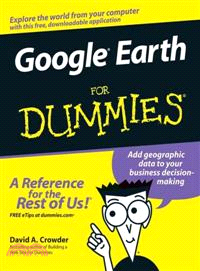
This interesting guide covers all aspects of Google Earth, the freely downloadable application from Google that allows users to view satellite images from all points of the globe
Aimed at a diverse audience, including casual users who enjoy air shots of locales as well as geographers, real estate professionals, and GPS developers
Includes valuable tips on various customizations that users can add, advice on setting up scavenger hunts, and guidance on using Google Earth to benefit a business
Explains modifying general options, managing the layer and placemark systems, and tackling some of the more technical aspects, such as interfacing with GPS
There are more than 400,000 registered users of Google Earth and the number is still growing
作者簡介
David A. Crowder has authored or coauthored more than 25 books, including the bestsellers Building a Web Site For Dummies and Cliffs Notes Getting on the Internet. His two most recent books were both listed as essential for all library collections by the magazine Library Journal.
Professor Crowder is equally at home with high technology or with working his way through the backcountry on horseback or in a dugout canoe. When he is not writing, he spends his time with his wife Angela, wandering through villages in the Andes or frolicking in the Caribbean surf.
目次
Introduction.
Part I: Getting to Know Google Earth.
Chapter 1: The Earth According to Google.
Chapter 2: Finding Businesses, Places, and Things.
Chapter 3: Adjusting Your View on the World.
Part II: Personalizing Google Earth.
Chapter 4: Fine-Tuning the Program.
Chapter 5: Adding Layers and Points of Interest (POIs).
Chapter 6: Pinning Down Placemarks.
Part III: Becoming a Cybertourist.
Chapter 7: Going on Tour.
Chapter 8: Mingling with the Community.
Chapter 9: Importing Data and Images.
Chapter 10: KML: It’s Sorta Like HTML.
Part IV: Advanced Features.
Chapter 11: Designing with Google SketchUp.
Chapter 12: Designing with Google SketchUp, Part 2.
Chapter 13: Creating Polygons and Other Complex Structures.
Chapter 14: Digging Deeper with Google SketchUp.
Part V: The Part of Tens.
Chapter 15: Ten Great Places to Get Coordinates.
Chapter 16: Ten Reliable Sources for Data Files.
Chapter 17: Ten Cool Tools.
Part VI: Appendixes.
Appendix A: Glossary.
Appendix B: Default Content of the All Layers Pane.
Appendix C: Latitudes and Longitudes of Major Landmarks.
Index.