




滿額折
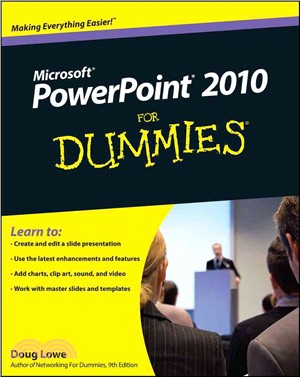
Powerpoint 2010 For Dummies(R)
商品資訊
ISBN13:9780470487655
出版社:John Wiley & Sons Inc
作者:Lowe
出版日:2010/04/23
裝訂/頁數:平裝/336頁
商品簡介
作者簡介
目次
商品簡介
Start creating dynamite presentations with PowerPoint 2010
PowerPoint, the number one presentation software, has been revised and improved with the introduction of Microsoft Office 2010. More than 120 million people are using PowerPoint to create business and educational presentations worldwide.
Both new and veteran PowerPoint users will improve their skills with the fun and friendly advice in PowerPoint 2010 For Dummies. Bestselling author Doug Lowe makes it easy to grasp the new features and shows you how to create presentations with pizzazz.
PowerPoint is used in more than 60 countries to create visual presentations for business and educational settings
The newest revision to PowerPoint adds new features, an online version of the software, and improved audiovisual and video editing capabilities
This easy-to-follow guide explains how to create and edit slides, import data from other applications, and add charts, clip art, sound, and video
Also covers working with hyperlinks, creating Web pages with PowerPoint, video editing, and collaboration via online access
PowerPoint 2010 For Dummies helps you take full advantage of the enhancements in the new version, so you can create more effective and impressive presentations.
PowerPoint, the number one presentation software, has been revised and improved with the introduction of Microsoft Office 2010. More than 120 million people are using PowerPoint to create business and educational presentations worldwide.
Both new and veteran PowerPoint users will improve their skills with the fun and friendly advice in PowerPoint 2010 For Dummies. Bestselling author Doug Lowe makes it easy to grasp the new features and shows you how to create presentations with pizzazz.
PowerPoint is used in more than 60 countries to create visual presentations for business and educational settings
The newest revision to PowerPoint adds new features, an online version of the software, and improved audiovisual and video editing capabilities
This easy-to-follow guide explains how to create and edit slides, import data from other applications, and add charts, clip art, sound, and video
Also covers working with hyperlinks, creating Web pages with PowerPoint, video editing, and collaboration via online access
PowerPoint 2010 For Dummies helps you take full advantage of the enhancements in the new version, so you can create more effective and impressive presentations.
作者簡介
Doug Lowe is a veteran author whose more than 40 For Dummies books have over a million copies in print. He's written about everything from Microsoft Office productivity to programming in ASP.NET.
目次
Introduction.
Part I: Basic PowerPoint 2010 Stuff.
Chapter 1: Welcome to PowerPoint 2010.
Chapter 2: Editing Slides.
Chapter 3: Working in Outline View.
Chapter 4: Proofi ng Your Presentations.
Chapter 5: Don’t Forget Your Notes!
Chapter 6: Show Time!
Chapter 7: Getting Help.
Part II: Creating Great-Looking Slides.
Chapter 8: All about Fonts and Text Formatting.
Chapter 9: Designing Your Slides.
Chapter 10: Animating Your Slides.
Chapter 11: Masters of the Universe Meet the Templates of Doom.
Part III: Embellishing Your Slides.
Chapter 12: Inserting Pictures and Clip Art.
Chapter 13: Drawing on Your Slides.
Chapter 14: Charting for Fun and Profit.
Chapter 15: Working with SmartArt.
Chapter 16: Lights! Camera! Action! (Adding Sound and Video).
Chapter 17: More Things to Insert on Your Slides.
Part IV: Working with Others.
Chapter 18: Using PowerPoint’s Collaboration Tools.
Chapter 19: Using a Slide Library and Other Ways to Reuse Slides.
Chapter 20: Creating a Video Version of Your Presentation.
Part V: The Part of Tens.
Chapter 21: Ten PowerPoint Commandments.
Chapter 22: Ten Tips for Creating Readable Slides.
Chapter 23: Ten Ways to Keep Your Audience Awake.
Chapter 24: Ten Things That Often Go Wrong.
Index.
Part I: Basic PowerPoint 2010 Stuff.
Chapter 1: Welcome to PowerPoint 2010.
Chapter 2: Editing Slides.
Chapter 3: Working in Outline View.
Chapter 4: Proofi ng Your Presentations.
Chapter 5: Don’t Forget Your Notes!
Chapter 6: Show Time!
Chapter 7: Getting Help.
Part II: Creating Great-Looking Slides.
Chapter 8: All about Fonts and Text Formatting.
Chapter 9: Designing Your Slides.
Chapter 10: Animating Your Slides.
Chapter 11: Masters of the Universe Meet the Templates of Doom.
Part III: Embellishing Your Slides.
Chapter 12: Inserting Pictures and Clip Art.
Chapter 13: Drawing on Your Slides.
Chapter 14: Charting for Fun and Profit.
Chapter 15: Working with SmartArt.
Chapter 16: Lights! Camera! Action! (Adding Sound and Video).
Chapter 17: More Things to Insert on Your Slides.
Part IV: Working with Others.
Chapter 18: Using PowerPoint’s Collaboration Tools.
Chapter 19: Using a Slide Library and Other Ways to Reuse Slides.
Chapter 20: Creating a Video Version of Your Presentation.
Part V: The Part of Tens.
Chapter 21: Ten PowerPoint Commandments.
Chapter 22: Ten Tips for Creating Readable Slides.
Chapter 23: Ten Ways to Keep Your Audience Awake.
Chapter 24: Ten Things That Often Go Wrong.
Index.










購物須知
外文書商品之書封,為出版社提供之樣本。實際出貨商品,以出版社所提供之現有版本為主。部份書籍,因出版社供應狀況特殊,匯率將依實際狀況做調整。
無庫存之商品,在您完成訂單程序之後,將以空運的方式為你下單調貨。為了縮短等待的時間,建議您將外文書與其他商品分開下單,以獲得最快的取貨速度,平均調貨時間為1~2個月。
為了保護您的權益,「三民網路書店」提供會員七日商品鑑賞期(收到商品為起始日)。
若要辦理退貨,請在商品鑑賞期內寄回,且商品必須是全新狀態與完整包裝(商品、附件、發票、隨貨贈品等)否則恕不接受退貨。