商品簡介
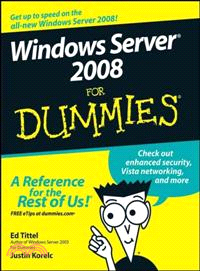
If you're curious, but hesitant, about finding your way around Microsoft's new Windows Server 2008, Windows Server 2008 For Dummies is the book for you. This friendly reference shows you everything you need to know — from installation and deployment to building and running a Windows Server 2008 network.
Server-based networking really is a big deal, and this 100% plain-English guide helps you make the most of it. You'll find out about Windows Server 2008's important functions, capabilities and requirements; develop a network implementation plan; take a step-by-step walkthrough of the installation process; and get valuable tips on how to boost your bandwidth beyond belief! Before you know it, you'll be configuring connections to the Universe, working with active directory, and treating domains and controllers like old pals. Discover how to:
Build and connect your network
Install and configure Windows Server 2008
Set up and manage directory services
Manage users and groups
Install and manage print servers
Secure your network
Troubleshoot active networks
Plan for installing Active Directory
Proclaim and manage your own domain
Resolve names between TCP/IP and NetBIOS
Manage shares, permissions, and more
Develop and implement a regular backup protocol
Windows Server 2008 For Dummies may be easy-going, but it's simply packed with need-to-know stuff that will send you diving into Windows Server 2008 experience just for the fun of it. So start now!
作者簡介
Ed Tittel is an increasingly grizzled, if not wizened, veteran of the publishing game, with over a thousand magazine articles and more than 140 books to his credit. Ed has worked on numerous For Dummies books, including HTML 4 For Dummies, 5th Edition (with Mary Burmeister) and XML For Dummies, 4th Edition (with Lucinda Dykes), as well as books on many other topics. Ed runs a small professional IT practice in Round Rock, TX, that specializes in network-oriented training, writing, and consulting. When Ed's not busy writing, he likes to spend time with his wife, Dina, and son, Gregory. He also likes to shoot pool, cook, and read sci-fi. You can reach Ed by e-mail at etittel@yahoo.com or through his Web page at www.edtittel.com.
Justin Korelc has been working with computers and technology for over 15 years. Justin is an independent consultant working as a writer and trainer. His work focuses on security, Windows and Linux operating systems, and PC hardware. Justin has coauthored several books on media PCs, including Build the Ultimate Home Theater PC (an ExtremeTech BuildIt Guide) and Hacking MythTV (an ExtremeTech title). He has developed online training materials on information security, PC tune-ups, file transfer technologies, and more. Justin's computer knowledge is self-taught and based on nearly 20 years of hands-on experience. He spends his spare time practicing the fine art of bricolage, playing with computers, and improving his culinary skills. You can reach Justin by e-mail at jusphikor@yahoo.com.
目次
Introduction.
Part I: Servers at Your Service.
Chapter 1: Making Windows Server 2008 Serve You.
Chapter 2: Server Networking Principles.
Chapter 3: Building Your Network.
Chapter 4: Hooking Up Your Network.
Part II: Servers, Start Your Engines.
Chapter 5: Ready, Set, Install!
Chapter 6: Configuring Connections to the Universe.
Chapter 7: Doing the Directory Thing.
Chapter 8: Working with Active Directory, Domains, and Trusts.
Chapter 9: Printing on the Network.
Chapter 10: IP Addressing: Zero to Insane in Two Seconds Flat.
Part III: Running Your Network.
Chapter 11: Managing Users with Active Directory Users and Computers.
Chapter 12: Managing Shares, Permissions, and More.
Chapter 13: Preparing for That Rainy Day.
Chapter 14: Network Security Management.
Part IV: Serve It Yourself.
Chapter 15: How to Be a DIY Guru.
Chapter 16: Servers the Intel Way.
Chapter 17: Servers the AMD Way.
Chapter 18: Taking Care of Your Own Issues.
Part V: The Part of Tens.
Chapter 19: Ten Tips for Installation and Configuration.
Chapter 20: Ten Steps to Networking Nirvana with Windows Server 2008.
Part VI: Appendixes.
Appendix A: Server Components and Technologies.
Appendix B: Windows Troubleshooting Resources.
Index.