商品簡介
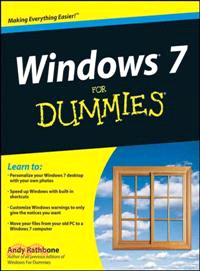
The perfect plain-English guide to the much-anticipated release of Windows 7
Windows For Dummies is the all-time bestselling guide to the Windows operating system. Windows 7 For Dummies answers all your questions about the interface adjustments and all the new tools in Windows 7.
Whether you're new to computers or just eager to start using the newest version of Windows, expert author Andy Rathbone will walk you step by step through the most common Windows 7 tasks, including managing files, applications, media, and Internet access. If you've never used Windows before, it shows you the things most books assume you already know, like how to navigate the interface, customize the desktop, and work with the file system. Then it helps you get comfortable using all aspects of Windows 7.
Nearly ninety percent of the world's PCs use the Windows operating system
Covers basic management of applications, files, and data; creating and printing documents; setting up an Internet connection and e-mail account; and online security
Explores using Windows to edit and manage audio, video, and photo files, and how to create CDs, DVDs, and playlists with Media Center
Helps you tweak and customize Windows 7 to operate your way and set up user accounts, build a home network, and maintain your PC
Provides troubleshooting advice, helps you find missing files and use the Help system, and explains common error messages
Windows 7 For Dummies will have you up and running on the newest version of Windows quickly and easily.
作者簡介
Andy Rathbone has written all previous editions of Windows For Dummies, the bestselling computer reference book of all time. Andy's helpful tips and easy-to-understand directions have helped millions of people run Windows on their home and business computers.
目次
Introduction.
Part I: Windows 7 Stuff Everybody Thinks You Already Know.
Chapter 1: What Is Windows 7?
Chapter 2: The Desktop, Start Menu, Taskbar, Gadgets, and Other Windows 7 Mysteries.
Chapter 3: Basic Windows Mechanics.
Chapter 4: Flipping Through Files, Folders, Flash Drives, Libraries, and CDs.
Part II: Working with Programs and Files.
Chapter 5: Playing with Programs and Documents.
Chapter 6: Briefly Lost, but Quickly Found.
Chapter 7: Printing Your Work.
Part III: Getting Things Done on the Internet.
Chapter 8: Cruising the Web.
Chapter 9: Sending and Receiving E-Mail.
Chapter 10: Safe Computing.
Part IV: Customizing and Upgrading Windows 7.
Chapter 11: Customizing Windows 7 with the Control Panel.
Chapter 12: Keeping Windows from Breaking.
Chapter 13: Sharing One Computer with Several People.
Chapter 14: Connecting Computers with a Network.
Part V: Music, Movies, Memories (And Photos, Too).
Chapter 15: Playing and Copying Music in Media Player.
Chapter 16: Fiddling with Photos and Movies.
Part VI: Help!
Chapter 17: The Case of the Broken Window.
Chapter 18: Strange Messages: What You Did Does Not Compute.
Chapter 19: Moving from an Old Computer to a New Windows 7 PC.
Chapter 20: Help on the Windows 7 Help System.
Part VII: The Part of Tens.
Chapter 21: Ten or So Things You’ll Hate about Windows 7 (And How to Fix Them).
Chapter 22: Ten or So Tips for Laptop Owners.
Appendix A: Upgrading to Windows 7.
Index.