商品簡介
Excel is the most sophisticated spreadsheet program available, making it easy for you to create a variety of analyses and calculations for personal and professional use. However, this program is much more than just an electronic version of an accountant's green sheet, and mastering even the most basic functions can be a challenge.
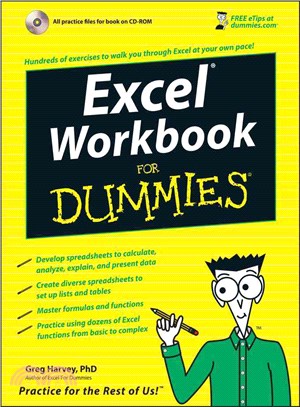
Excel Workbook For Dummies is specially designed to give you the hands-on experience you need to start using this great program with confidence and efficiency. This guide is packed with hundreds of exercises that walk you through the ins and outs of Excel at your own pace. You'll have all the tools you need to:
Enter spreadsheet data
Format, modify, and print your spreadsheet
Copy and correct formulas
Create date and time formulas
Use math, statistical, lookup, and logical functions
Chart spreadsheet data
Add graphics to the spreadsheet
Manage and secure your data
Perform what-if analyses
Generate pivot tables
Publish spreadsheets as Web pages
Add hyperlinks to spreadsheets
Take advantage of Macros and Visual Basic Editor
Included is a bonus CD-ROM full of useful features, including sample files for all exercises in the book, a variety of important Excel tools, worksheets, and templates for financial planning, and a trial version of Crystal Xcelsius to get you started making progress and becoming an Excel expert!
Note: CD-ROM/DVD and other supplementary materials are not included as part of eBook file.
作者簡介
Greg Harvey has authored tons of computer books, the most recent being Excel Timesaving Techniques For Dummies and Roxio Easy Media Creator For Dummies, and the most popular being Excel 2003 For Dummies and Excel 2003 All-In-One Desk Reference For Dummies. He started out training business users on how to use IBM personal computers and their attendant computer software in the rough and tumble days of DOS, WordStar, and Lotus 1-2-3 in the mid-80s of the last century. After working for a number of independent training firms, he went on to teach semester-long courses in spreadsheet and database management software at Golden Gate University in San Francisco.
His love of teaching has translated into an equal love of writing. For Dummies books are, of course, his all-time favorites to write because they enable him to write to his favorite audience, the beginner. They also enable him to use humor (a key element to success in the training room) and, most delightful of all, to express an opinion or two about the subject matter at hand.
Greg received his doctorate degree in Humanities in Philosophy and Religion with a concentration in Asian Studies and Comparative Religion last May. Everyone is glad that Greg was finally able to get out of school before he retired.
目次
Introduction.
Part I: Creating Spreadsheets.
Chapter 1: Entering the Spreadsheet Data.
Chapter 2: Formatting the Spreadsheet.
Chapter 3: Printing Spreadsheet Reports.
Chapter 4: Modifying the Spreadsheet.
Part II: Using Formulas and Functions.
Chapter 5: Building Formulas.
Chapter 6: Copying and Correcting Formulas.
Chapter 7: Creating Date and Time Formulas.
Chapter 8: Financial Formulas and Functions.
Chapter 9: Using Math Functions.
Chapter 10: Using Statistical Functions.
Chapter 11: Using the Lookup Functions.
Chapter 12: Using the Logical Functions.
Chapter 13: Text Formulas and Functions.
Part III: Working with Graphics.
Chapter 14: Charting Spreadsheet Data.
Chapter 15: Adding Graphics to the Spreadsheet.
Part IV: Managing and Securing Data.
Chapter 16: Building and Maintaining Data Lists.
Chapter 17: Protecting the Spreadsheet.
Part V: Doing Data Analysis.
Chapter 18: Performing What-If Analysis.
Chapter 19: Generating Pivot Tables.
Part VI: Excel and the Web.
Chapter 20: Publishing Spreadsheets as Web Pages.
Chapter 21: Adding Hyperlinks to Spreadsheets.
Part VII: Macros and Visual Basic for Applications.
Chapter 22: Using Macros.
Chapter 23: Using the Visual Basic Editor.
Part VIII: The Part of Tens.
Chapter 24: Top Ten Tips for Using Excel like a Pro.
Chapter 25: Ten (More or Less) Shortcut Keys for Entering Data.
Chapter 26: Ten (More or Less) Shortcut Keys for Formatting the Worksheet.
Chapter 27: Ten (More or Less) Shortcut Keys for Editing Data.
Chapter 28: Ten (More or Less) Miscellaneous Shortcut Keys.
Appendix A: About the CD.
Appendix B: Table of Exercises.
Index.